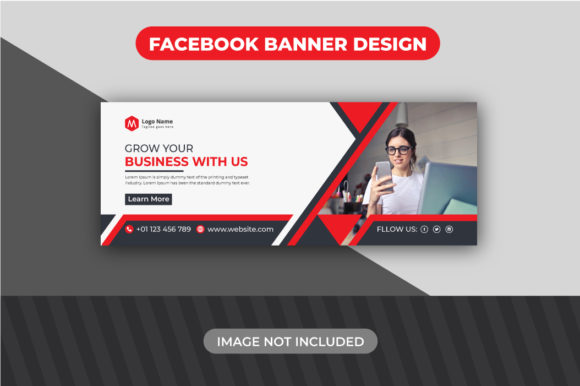
Modern Creative Corporate Facebook Cover: A Designer's Toolkit
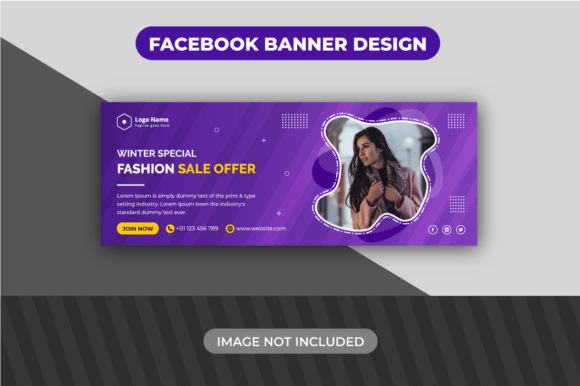
That moment when you open a new document, ready to design your brand's Facebook cover, and the blank canvas just stares back. You know it needs to look professional, creative, and instantly communicate your brand's personality. But where do you start? The Modern Creative Corporate Facebook Cover template is built for exactly this scenario. It’s not just a static image; it’s a structured, editable starting point designed for professionals and entrepreneurs who need a polished social media presence without starting from zero.
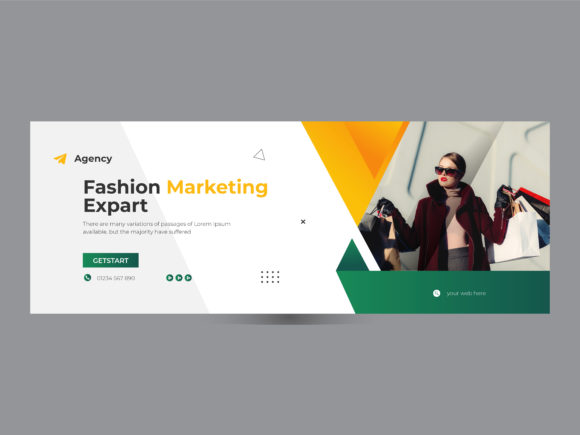
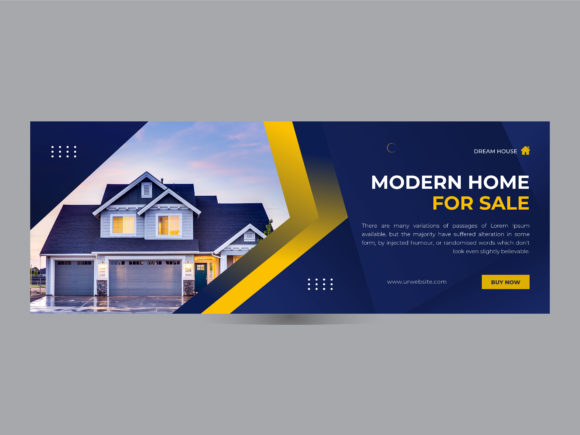
This template embodies a clean, contemporary aesthetic. Think balanced layouts, thoughtful use of negative space, and a typography-driven hierarchy that feels both authoritative and approachable. The visual personality is sleek and corporate, but with enough creative flair to stand out in a crowded newsfeed. It avoids overly trendy elements that date quickly, focusing instead on timeless principles of good design. The overall appeal lies in its versatility—it can be adapted to suit a tech startup, a creative agency, a consultancy firm, or a personal brand with equal ease.
Beyond the Basics: What Makes This Template Work
The true value of a design asset like the Modern Creative Corporate Facebook Cover lies in its thoughtful construction and the practical features that save you time and frustration. At its core, it's an Adobe Illustrator file (CC version) optimized for the web. The 820x315 pixel dimension is the current standard for Facebook covers, ensuring your design displays correctly across devices. The 72 DPI and RGB color mode are web essentials, guaranteeing your colors and details render crisply on screens.
But the developer has gone further. The layers are organized logically, and while the initial state is grouped for simplicity, ungrouping them is straightforward. A quick Shift+Ctrl+G (or Shift+Cmd+G on a Mac) gives you full access to every individual element. This is crucial for customization. You’re not locked into the demo layout. Want to move the headline? Resize a shape? Adjust the spacing? You have complete control. This level of editability transforms the file from a simple template into a true design toolkit.
Another key feature is the reliance on specific, high-quality fonts: Raleway and Montserrat. These are not generic system fonts. They are carefully chosen typefaces that contribute significantly to the template's modern, clean vibe. Raleway, with its elegant thin weights, works beautifully for headlines, while Montserrat's geometric sans-serif forms provide excellent readability for subtext or body copy. The included help guide ensures you can download and install these fonts correctly, so your end result matches the professional preview.
Practical Application: From Download to Done
Let's walk through a realistic workflow. You've downloaded the file. First, you install the required fonts—Raleway and Montserrat—from the provided links. This step is non-negotiable. If the fonts aren't on your system, Illustrator will substitute them, and the entire typographic balance of the design will be lost.
Next, you open the .AI file in Adobe Illustrator. You'll see the grouped layers. Following the guide, you ungroup them (Shift+Ctrl+G). Now, you can interact with every component. The template uses placeholder text. Simply click on a text element with the Type Tool (T) and replace it with your own headline, tagline, or call to action. The fonts are already applied, so your text will inherit the intended style immediately.
For images, the process is equally intuitive. The template includes placeholder image frames. To add your own photo, you don't need to manually scale and clip it. Just click on the placeholder. Illustrator's "Place" command will activate. Navigate to your image file and select it. The software will automatically place it within the bounds of the frame, maintaining the perfect composition. Save your work, export it as a PNG or JPG, and your custom cover is ready to upload.
Where This Design Asset Truly Shines
The applications for a well-designed Facebook cover extend far beyond a simple profile picture backdrop. For a small business owner, it’s the digital storefront window. A cohesive cover that aligns with your website and other social media graphics builds immediate brand identity and recognition. For a marketer or content creator, it’s prime real estate to announce a new product, a webinar, or a content series. The clean layout of this template ensures your message is the focal point.
Designers and agencies can use it as a base for client projects, dramatically speeding up the initial social media branding phase. The professional structure demonstrates competence, while the editability allows for full customization to match any brand's unique style guide. Bloggers and publishers can use it to promote their latest articles or book releases, creating a consistent visual thread that audiences come to expect and trust.
The font pairing itself is a lesson in effective design. Using a display font like Raleway for impact and a sans serif font like Montserrat for clarity creates a strong visual hierarchy. This is a fundamental principle of modern typography that influences readability and guides the viewer's eye through your message. The consistency of using these specific fonts across your cover, profile picture, and other graphics reinforces professionalism and aids in brand recall.
Making It Your Own: Tips for Customization
While the template provides a fantastic starting point, the goal is to make it uniquely yours. Don't just swap the text and call it a day. Experiment with the color palette. The original is likely neutral and corporate, but you can easily change the background or accent colors to match your brand's palette. Use the Color Guide or Recolor Artwork tools in Illustrator for efficient global changes.
Play with the layout. Could you make the headline larger for more impact? Could you adjust the alignment of the subtext? The ungrouped layers allow for this. Test different images. A high-quality, relevant photograph will always outperform a generic stock image. Remember, the images are not included, so you have the freedom to choose visuals that truly represent your brand's story and values.
Finally, consider the context. Your Facebook cover will often be viewed alongside your profile picture. Ensure the two elements work together harmoniously. The Modern Creative Corporate Facebook Cover is designed with this relationship in mind, leaving strategic space for the profile picture overlay without covering crucial information. This attention to real-world platform behavior is what separates a thoughtful design asset from a simple graphic. By leveraging its structured editability and professional typography, you can create a social media presence that feels both intentional and effortlessly polished.